
Buy and sell in Jordan, right from your phone
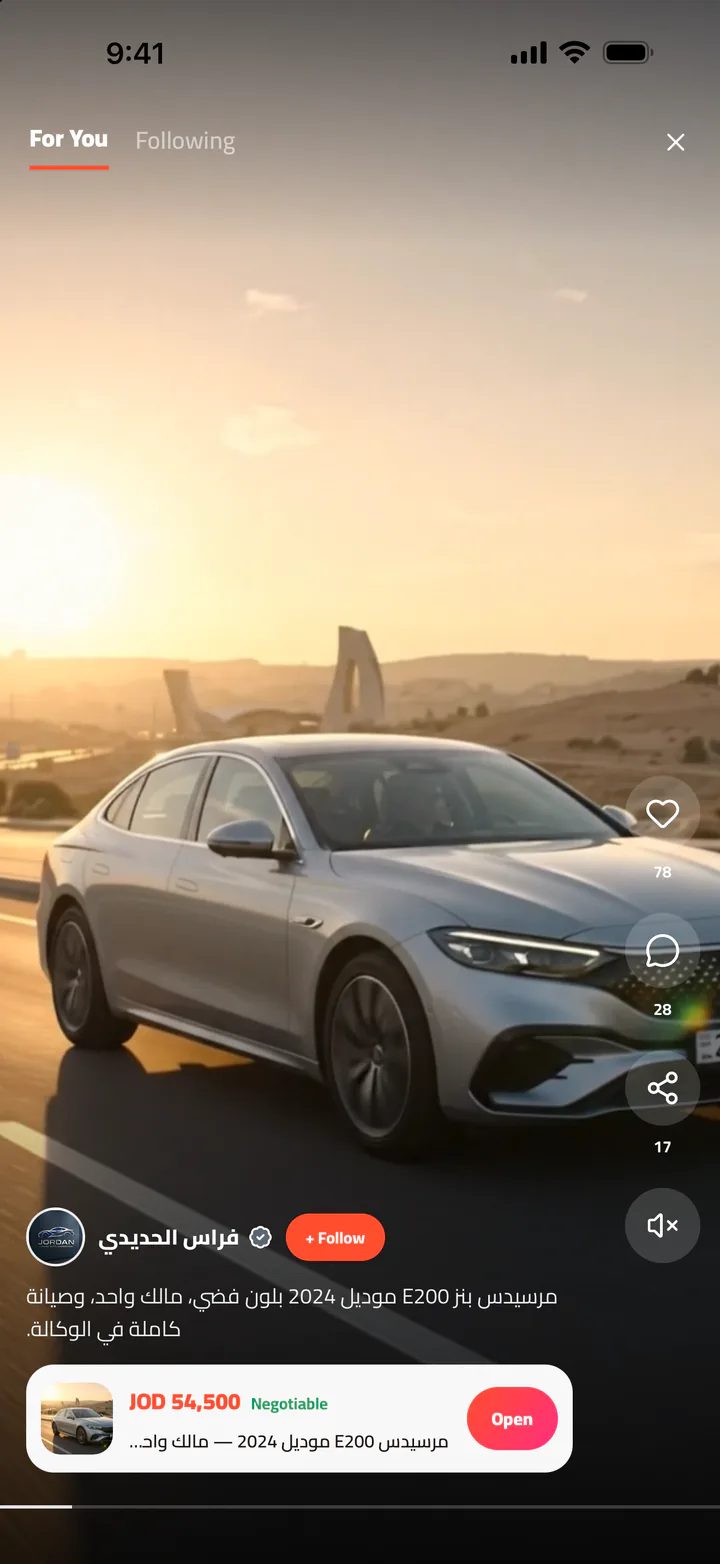
Post an ad with photos and video in a minute, see ads from your area first, and message sellers right in the app.
- Free to post
- Sign up with your mobile number
- Full Arabic and English
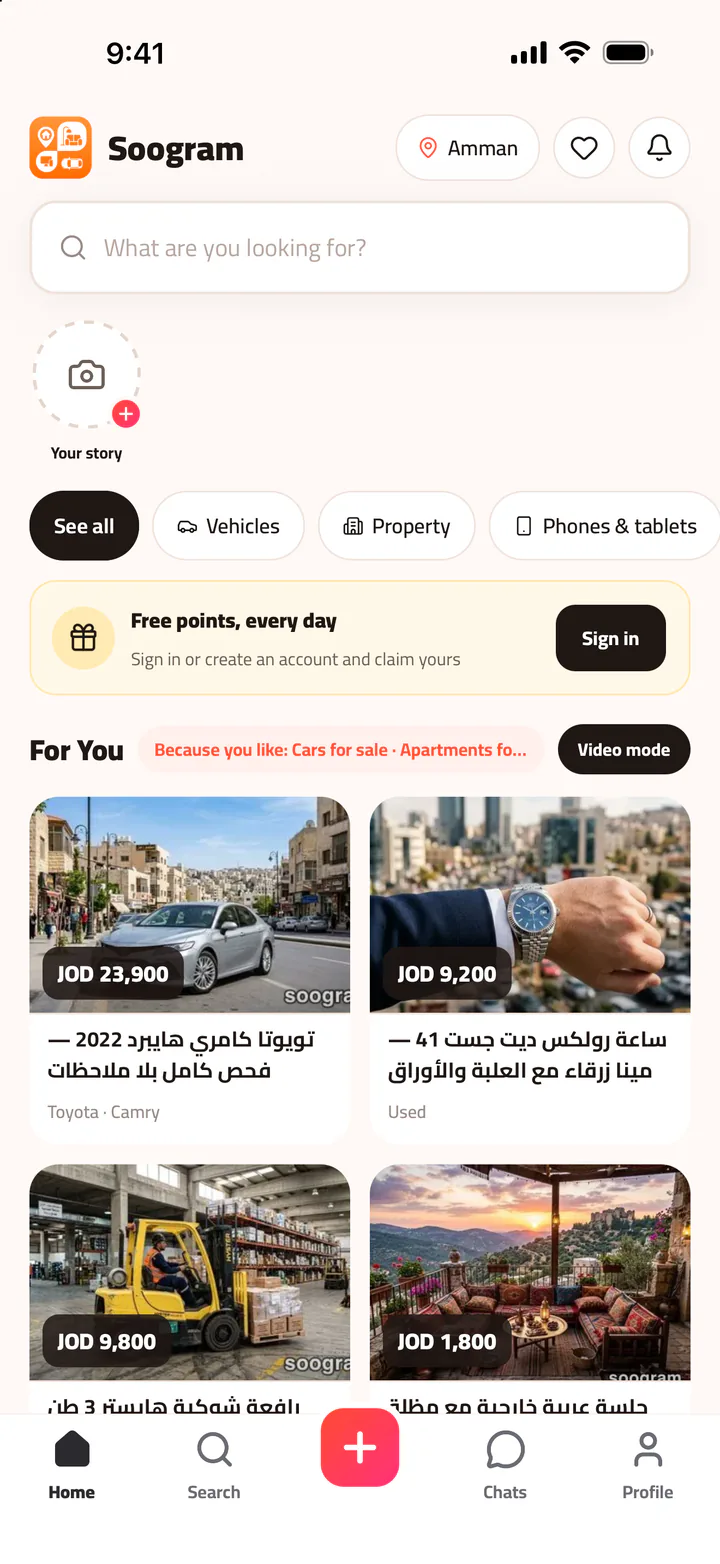
Everything you're looking for, in one place
- Cars and vehicles
- Property
- Phones and tablets
- Electronics and computers
- Furniture and home
- Home appliances
- Fashion and kids
- Gaming and toys
- Sports and outdoors
- Pets
- Services
- Jobs
Three steps and you're in
- 1
Get the app
From the App Store on iPhone, or Google Play on Android.
- 2
Sign up with your number
A code arrives by text message in seconds. No password to remember.
- 3
Browse or post
Anyone can browse. Posting and messaging need a free account.
Ads from your area, first
Open the app and see what's close to you first: ads from your governorate, then the ones next to it. Nothing is hidden. Your governorate is worked out on your phone if you allow it, your coordinates never leave it, and you can always pick it yourself.
- Stories and video show items as they really are
- Suggested ads based on your interests
Find it fast
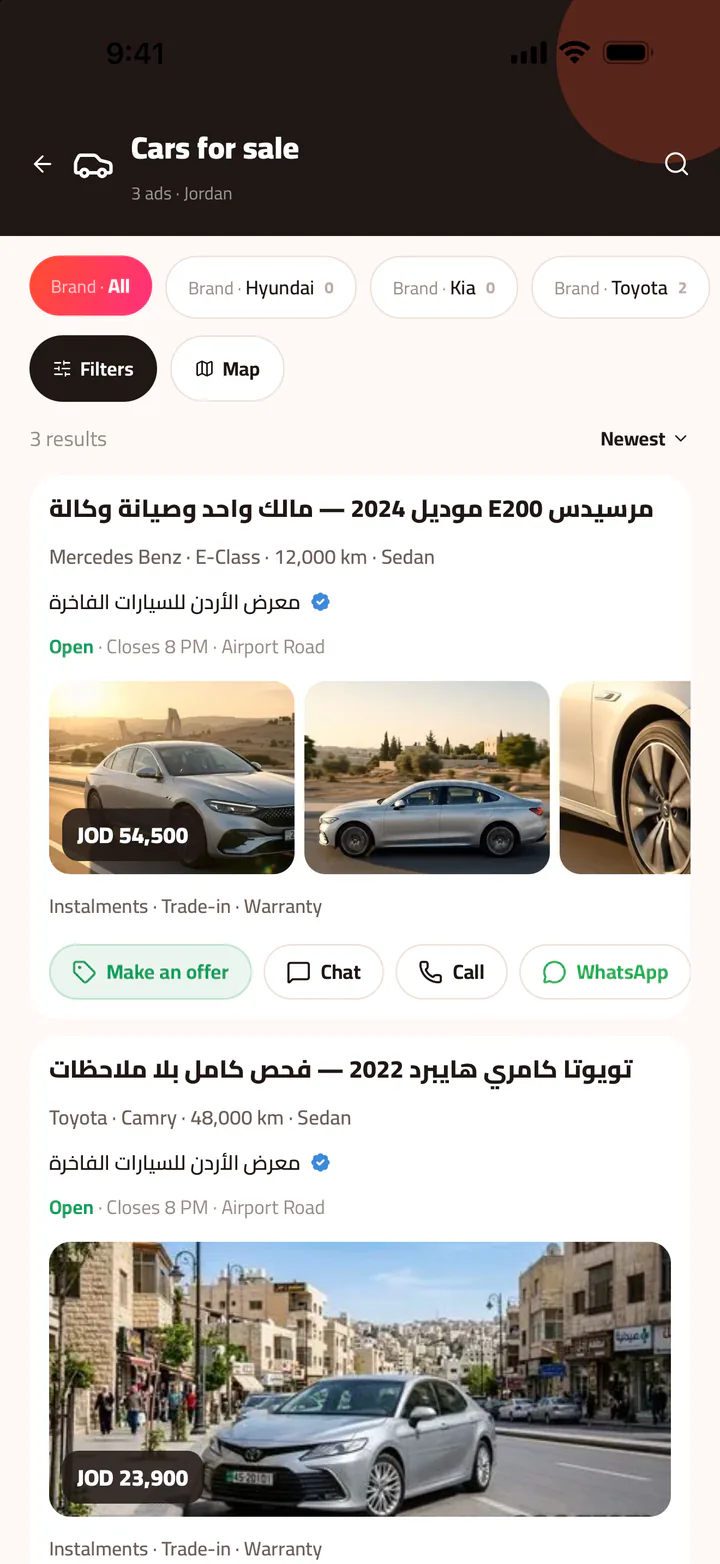
Search that understands Arabic, with filters for category, price, area and condition: new or used. For cars, pick the make, model and year and see results right away.
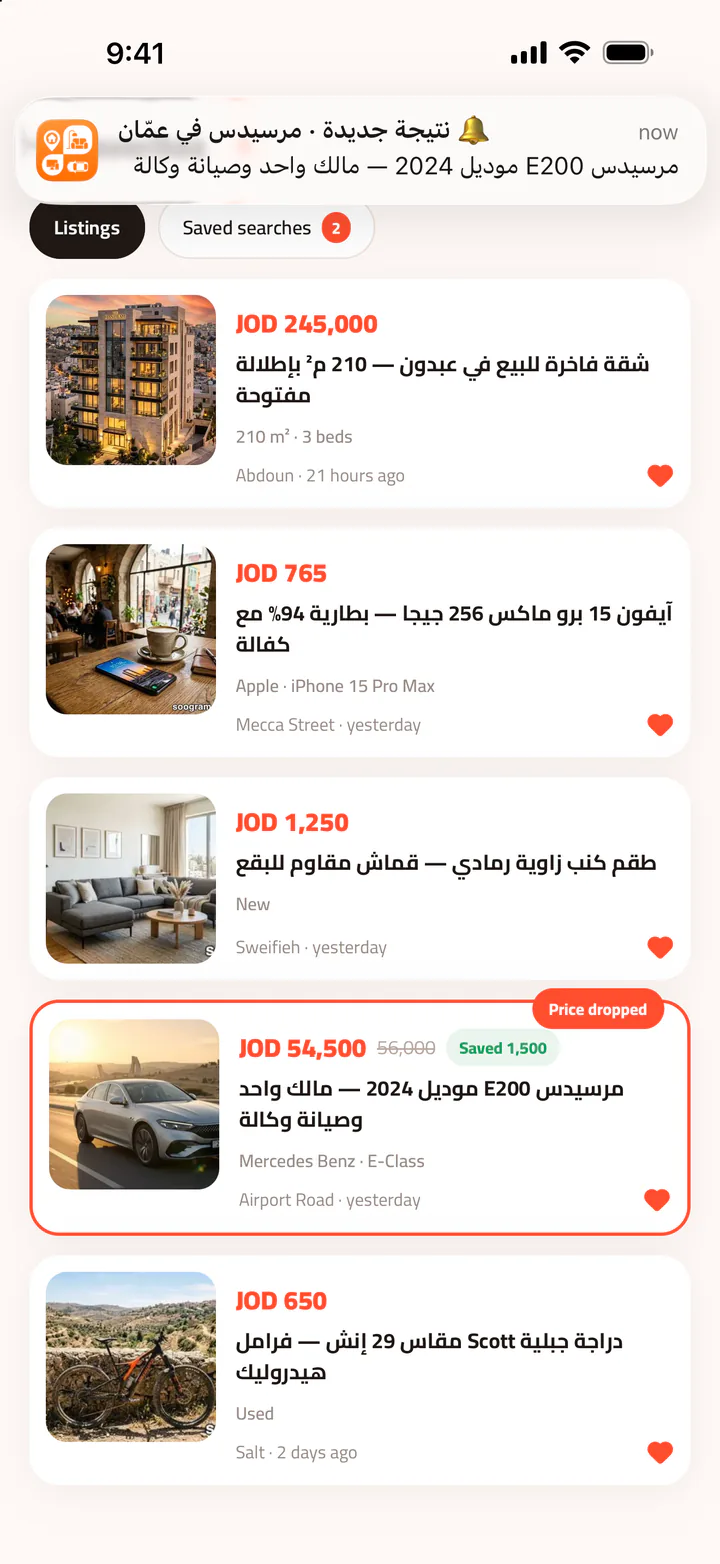
- Save a search and get an alert the moment a matching ad is posted
- Add ads to favorites and get an alert if the price drops
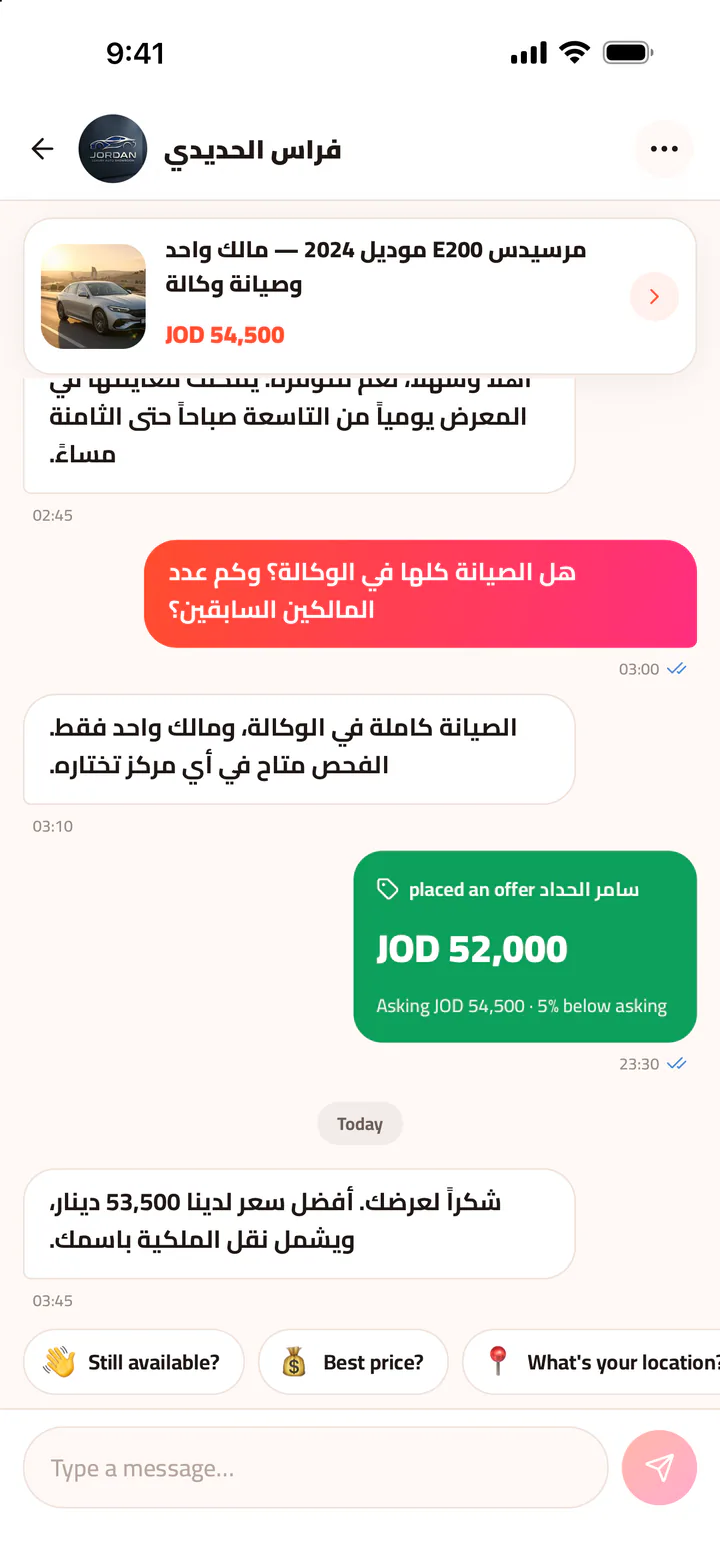
Chat and make an offer
Talk to the seller right in the app and make your price offer from the conversation. If you prefer, hide your phone number from your ads and keep contact in the chat.
- Quick replies, ready to tap
- Clear price offers inside the chat
Sell anything in a minute
Take photos, add a video, pick a category and set your price, and your ad is live. Ready-made fields fit each category: make and year for cars, area and rooms for property, storage and condition for phones.
- Posting ads is completely free
- Free points promote your ad to more buyers
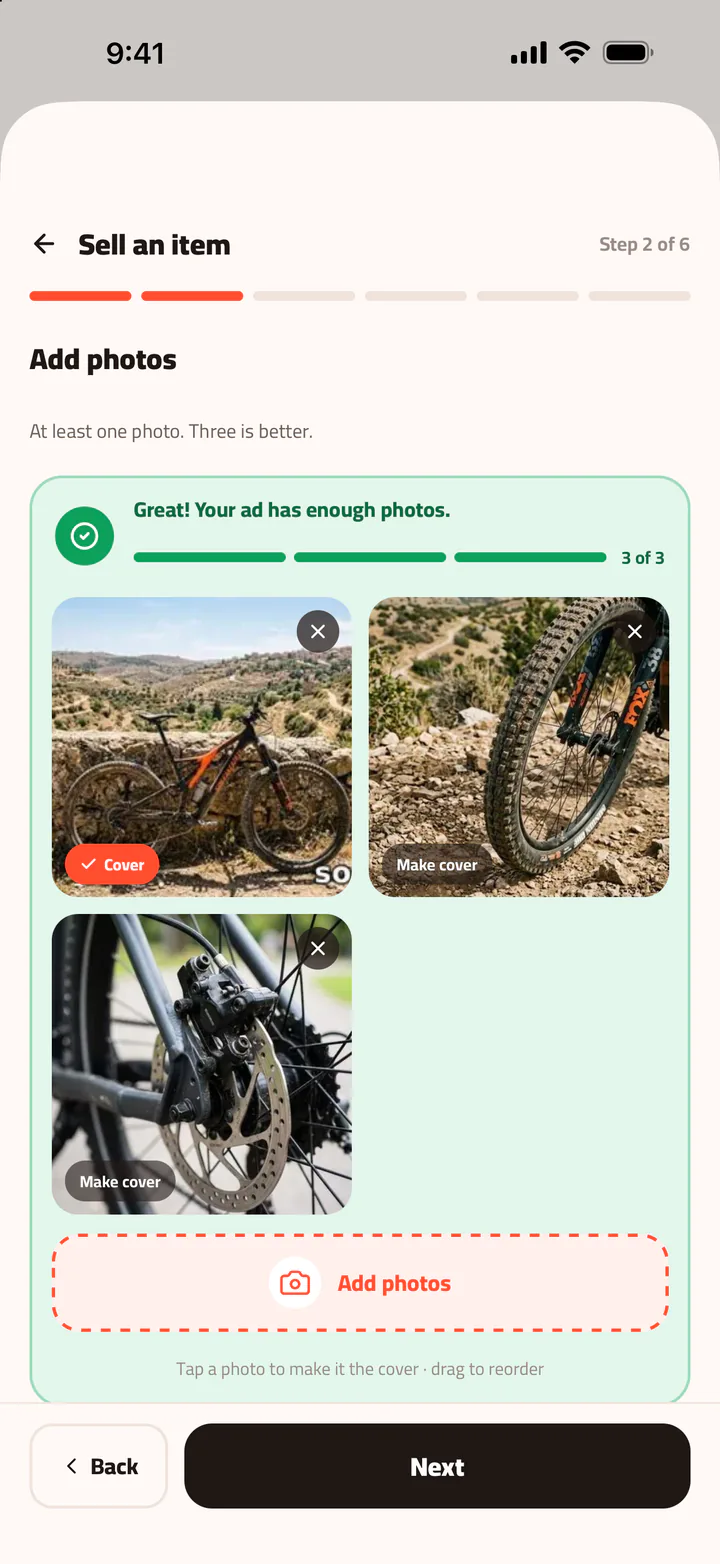
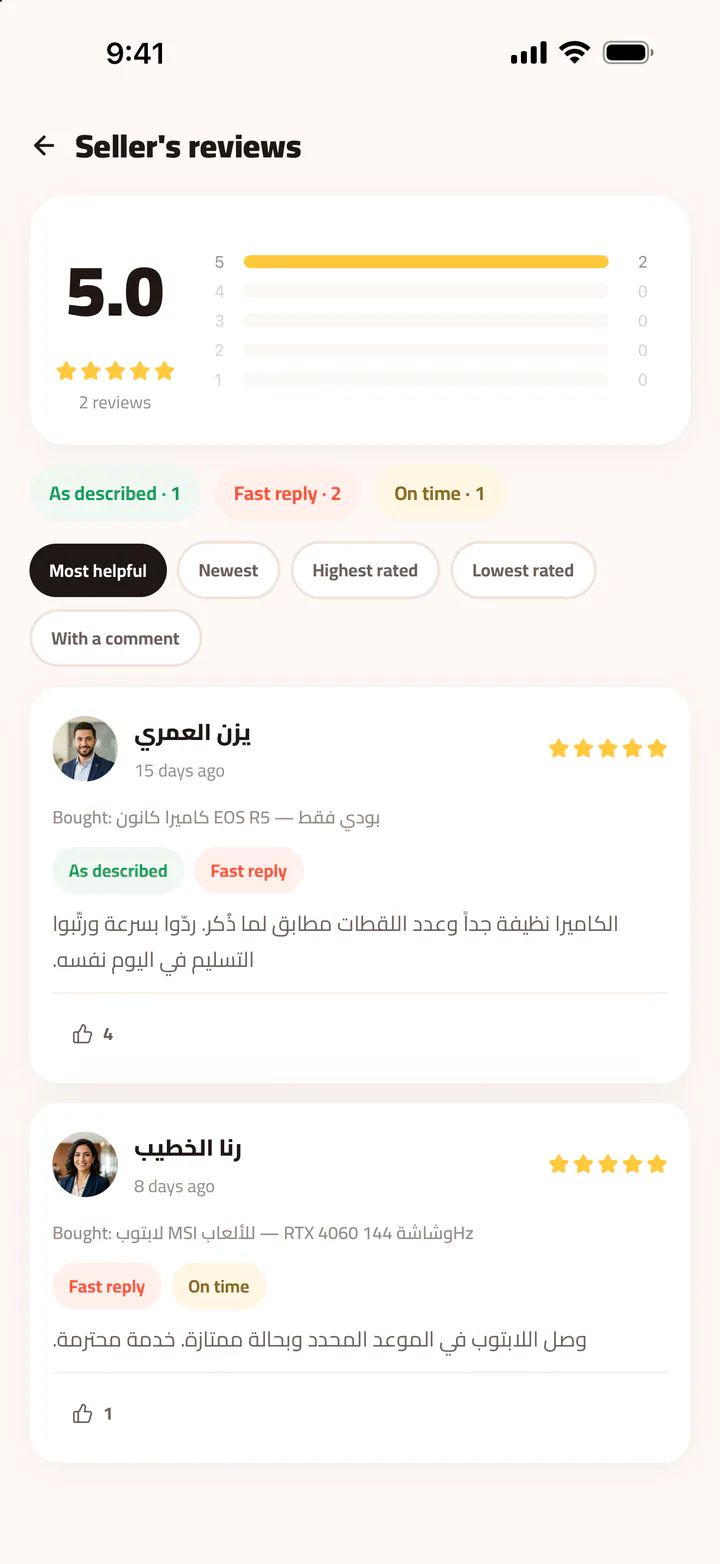
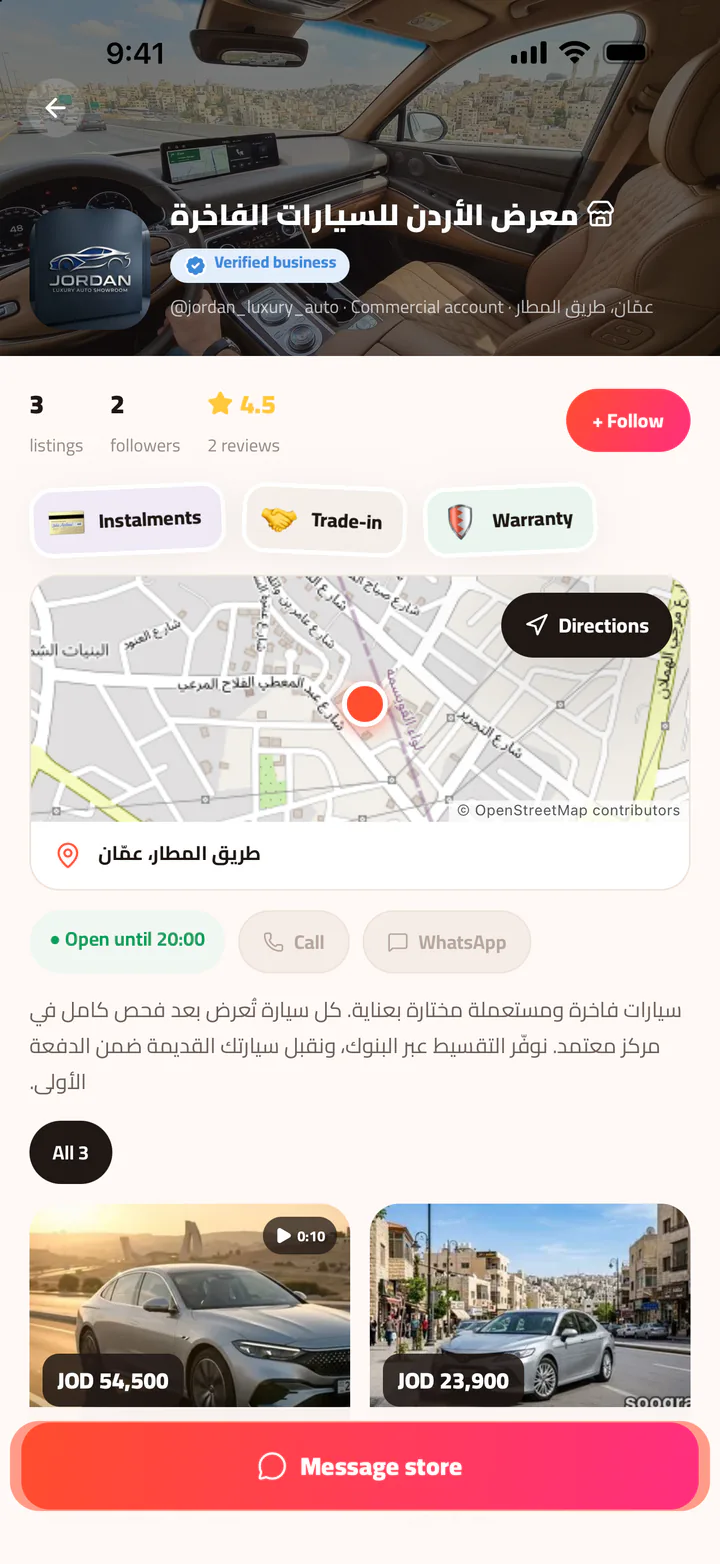
See the app from the inside
This is what Soogram looks like on your phone.
Deal with peace of mind
We built Soogram to keep dealing clear and as safe as we can make it.
-
Verified accounts
Optional verification: a badge for verified personal accounts and a blue badge for registered businesses.
-
Real reviews
Read what previous buyers say before you deal with any seller.
-
Your number, your call
Hide your phone number from your ads and keep contact in the in-app chat.
-
Checked before posting
Every ad is automatically screened before it goes live, to catch content that breaks the rules.
-
Report in one tap
A Report button on every ad, story and chat, and you can block any user. Reports are reviewed within 24 hours.
-
Your data stays yours
We never sell your data, and you can delete your account any time from inside the app.
Tips before any deal
Inspect the item yourself before paying, meet in a busy public place, and never send money in advance to someone you don't know. We will never ask for your verification code, so never share it with anyone.
Run a business? Open your store on Soogram
A store page in your name with a cover photo, bio, opening hours, map location and contact number, plus a blue badge for registered businesses. Leave your details and we'll get in touch to help you start.
- Your own store page
- Verified business badge
- Free points to promote your ads
- Hands-on help moving your listings
Frequently asked questions
Is Soogram free?
Yes. Signing up, posting ads and messaging are all free, and there are no purchases in the app. Free points are what you use to promote your ads.
How do I sign up?
With a Jordanian mobile number: you get a verification code by text message, type it in, and you're in. There is no password. Soogram is for people aged 18 and over.
Can I browse without an account?
Yes. Browsing and searching are open to everyone. You only need an account to post and message.
Will people see my phone number?
By default your number is shown so buyers can call you. You can hide it in Settings → Privacy and security → Hide my number on ads, and keep contact in the in-app chat.
Is there an Android app?
Yes. Soogram is free on Google Play for Android phones, and on the App Store for iPhone.
Does it work outside Jordan?
Soogram covers all of Jordan and shows you ads from your governorate first. It is not available outside Jordan yet.
How do I report an ad or a user?
Tap the Report button on any ad, story or chat. You can also block any user. We review reports within 24 hours.
How do I delete my account?
In the app: Settings → Your data → Delete account. If you can't get into the app, the other way is on the delete account page. Delete account page
How is Soogram spelled?
It is “Soogram” in English (two o’s) and “سوقرام” in Arabic. Some people type “Souqram”, “Sougram”, “Sogram”, “سوغرام” or “سوجرام” — they all mean the same app. Our short link is soogr.am.
Didn't find your answer? Write to us
Get started with Soogram today
Download the app and browse, or post your first ad in a minute.